The most complete research platform.
Everything built in. Nothing bolted on.
Recruit, conduct and analyze both qualitative and quantitative research all while building out a central repository to stay on top of customer insights, supercharged by AI
Trusted by leading teams worldwide


How it works
Set up a study in minutes, conduct, analyze and store your research in one place
Recruit
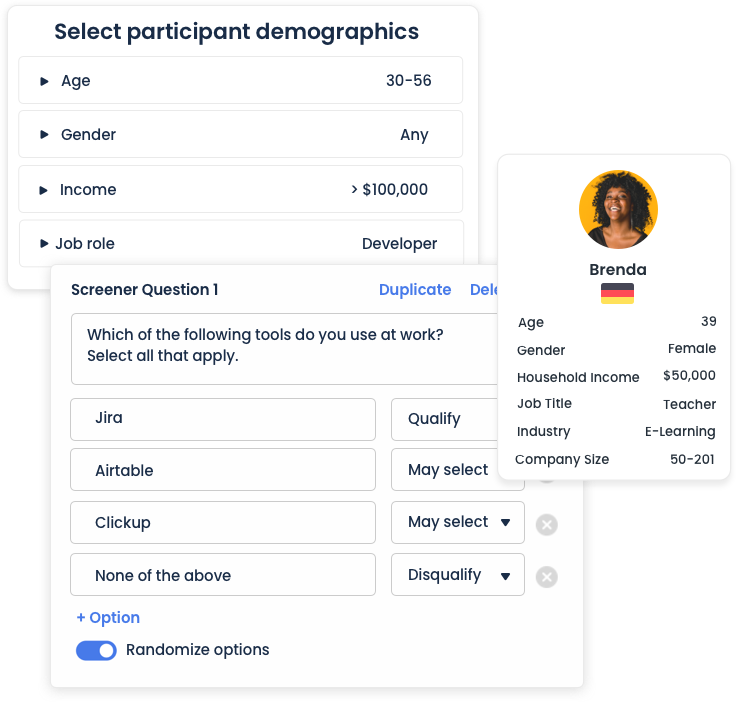
Speak to real people, fast. Recruit from our panel of over 7 million vetted consumer and professional participants or bring your own participants. Use filtering and screener questions to identify, target and segment your audience personas. Nearly 90% of studies fill within a few hours.
Conduct
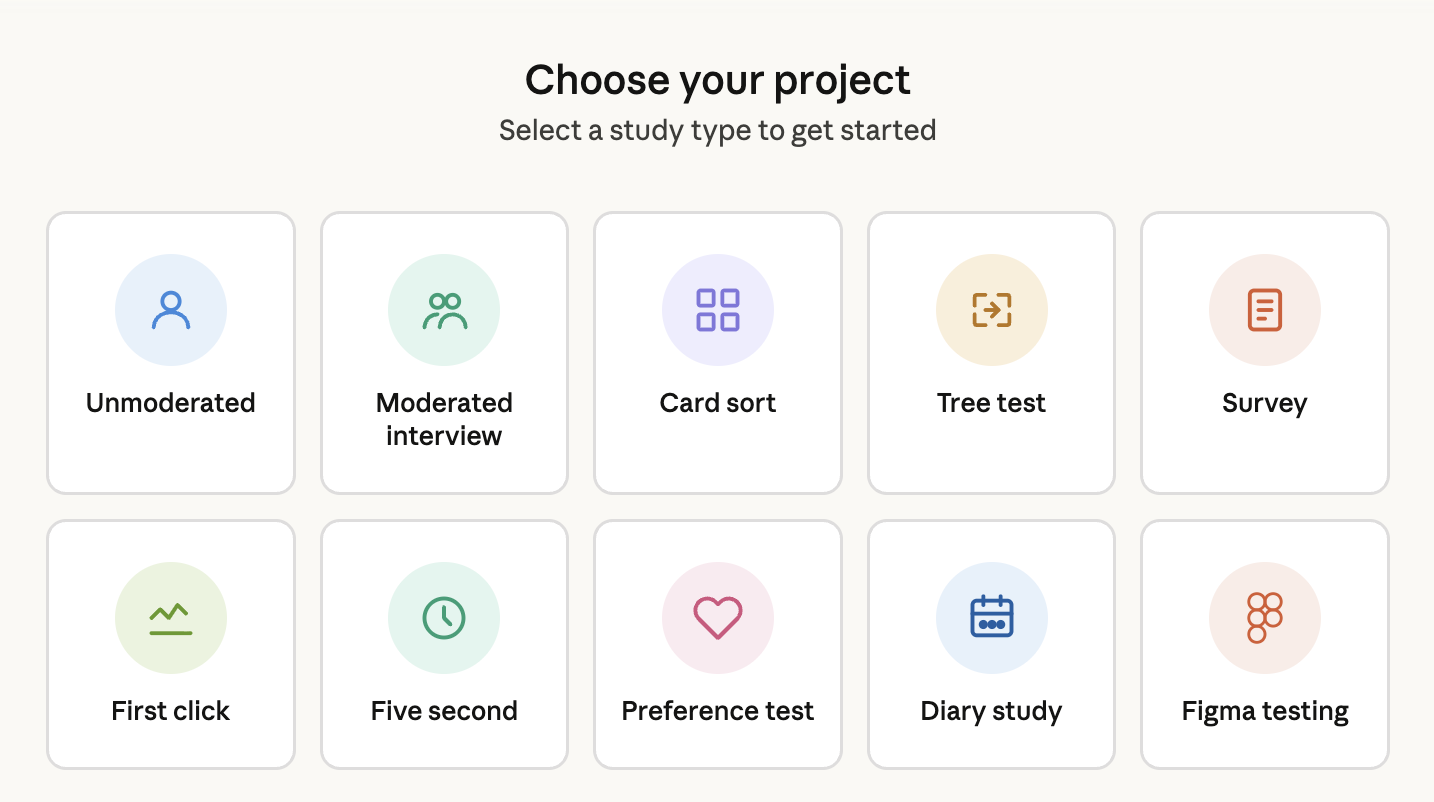
Streamline and consolidate your research tools. PlaybookUX offers built-in qualitative and quantitative research methods, including unmoderated testing, moderated interviews, card sorting, tree testing, surveys, five-second testing, first-click testing and preference testing.
Analyze
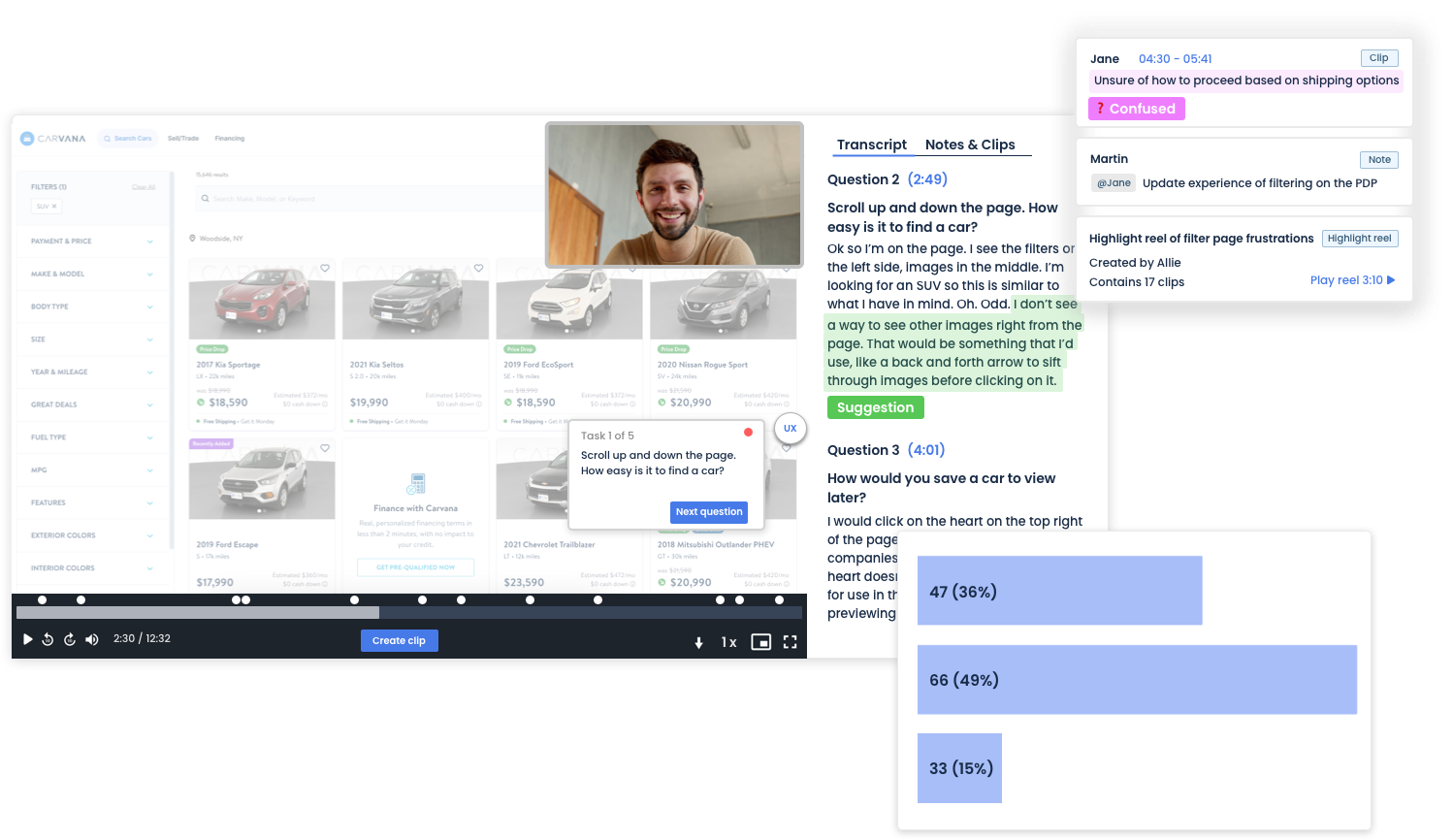
Quickly gather insights and analyze research with ease using our powerful suite of analysis tools. From capturing key moments with highlight reels in unmoderated testing to visualizing clicks with heat maps during first-click tests, we provide everything you need to make sense of your data efficiently.

PlaybookUX has become an essential part of our research toolkit. It's robust, fast and collaborative, especially when we need to present findings to stakeholders. We can move from concept to validation with speed.
Matthew Ip
Research Lead, Microsoft
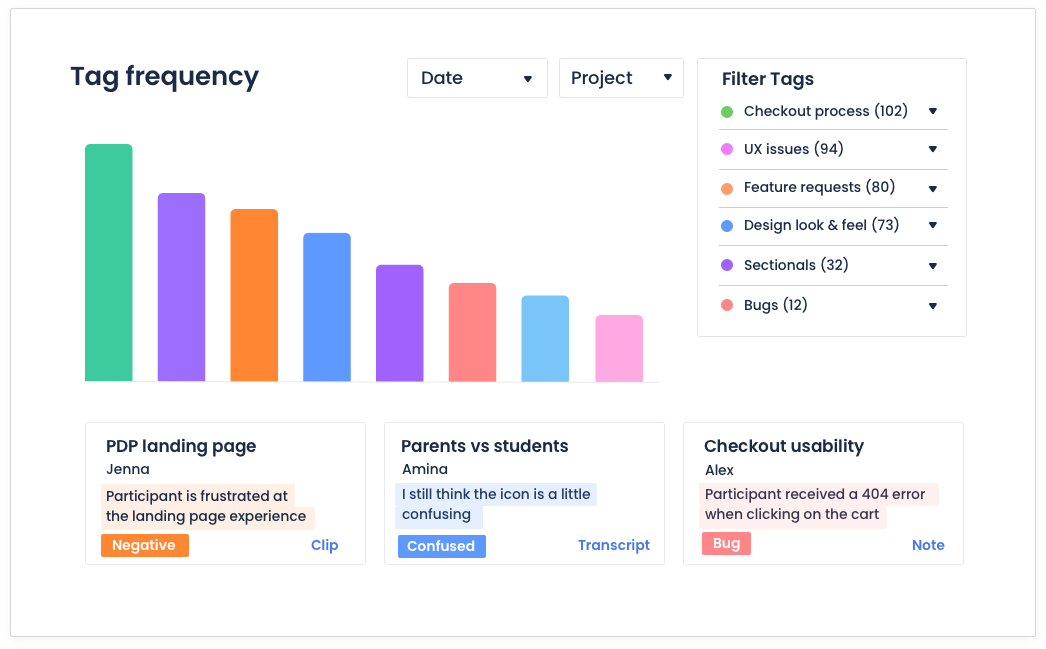
Tag & Search
Stay on top of all your insights by building your central research repository within PlaybookUX. Since you are already conducting all of your research within PlaybookUX, tagging, searching and organizing is easier than ever!
Collaborate
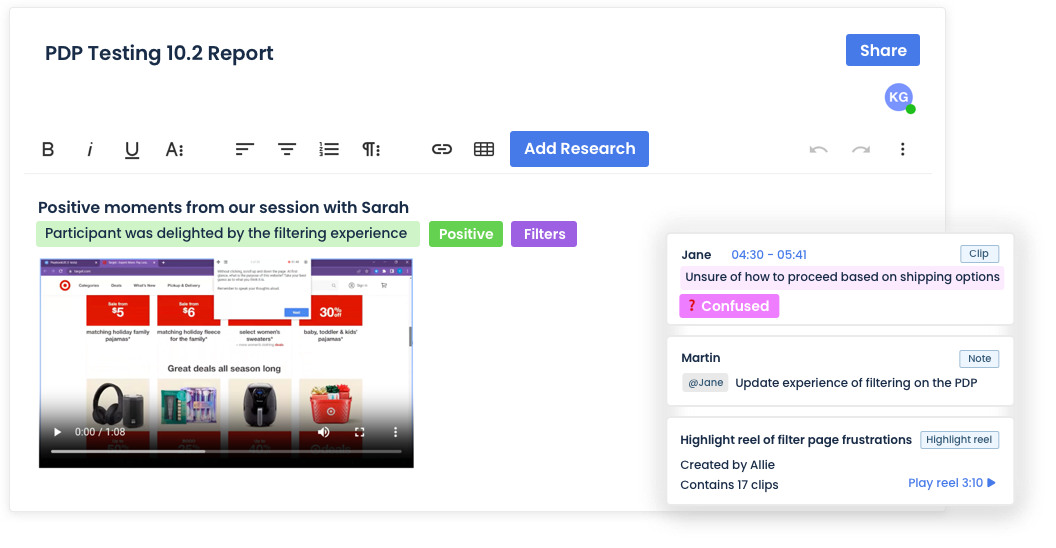
Research is most effective when it's a team effort. With our unlimited seat model and powerful collaboration features, you can build a research-driven organization that delivers accurate insights with efficiency. Organize projects with workspaces, comment on test scripts, take real-time notes, build tagging structures, and collaborate on reports—just to name a few!
AI That Moves at the Speed of Research
AI is built into every stage of your research process, from generating screeners and study scripts to analyzing video sessions and surfacing themes across your data. Every AI feature is configurable and can be turned off, so your team stays in control of how and when AI is applied.
AI Follow-Ups
Get richer insights from every session. Our AI asks smart follow-up questions that capture nuanced responses and additional data points you might have missed.
- Captures depth that static question sets miss
- Surfaces unexpected themes and outlier responses
- Designed to support researchers, not replace them
API + MCP Layer
Extend PlaybookUX beyond the platform. Pull videos, transcripts, and insights directly into your existing workflows, automate project creation at scale, and connect to any tool in your stack.
- Pull videos, transcripts, and insights into any tool
- Connect to your preferred AI tool (i.e. Claude, Copilot, ChatGPT), data warehouse or CRM
- Automate project creation and research operations at scale
Synthetic Participants / AI Personas
Generate lifelike AI personas grounded in your actual video research. Select sessions from your library, enhance with custom prompts, then deploy these personas across future studies for instant feedback and validation.
- Built from real transcripts, video, and behavioral data not generic prompts
- Customizable with additional context and data sources
- Deploy across new studies for rapid early-stage validation
AI Executive Reports
Generate comprehensive executive summaries instantly pulling together study setup, participant demographics, transcriptions, key themes, and participant quotes into a shareable report.
- Key themes surfaced and backed with participant quotes
- Customized recommendations based on learnings
- Cross-language support: run a study in German, get your summary in English
AI Task Summaries
Analyze verbal, written, and behavioral data from specific research tasks. Our AI identifies recurring themes, measures participant sentiment, and flags outlier responses across your study.
- Works across verbal, written, and behavioral data
- Sentiment measurement, friction detection and theme clustering
- Outlier detection to catch edge cases
Screener & Study Question Checker
Practice good research governance with AI-powered screener and question reviews. Catch common research mistakes or bias/leading questions before they affect your data quality.
- Flags missing "none of the above" options that force irrelevant answers
- Identifies leading questions that bias responses
- Catches vague options like "sometimes" or "often"
- Surfaces industry jargon that may confuse participants
Screener & Study Script Generator
Build complete screener questionnaires and study guides from scratch. Share your research objectives and any materials you're testing we'll create unbiased scripts that get you the insights you need.
- Full screener questionnaires generated from your objectives
- Unbiased question framing built in by default
- Works with any materials you're testing prototypes, copy, flows
Study Import
Paste in an existing test script, screener, or study outline and our question parser automatically structures it for you pulling out tasks, screener questions, tree test nodes, and card sort items and arranging them directly in your study.
- Parses test scripts and screeners automatically
- Extracts tree test nodes and card sort items
- Arranges everything into your study in seconds
Replay Summaries
Get AI-powered summaries of your session replays that identify the most significant user interactions and suggest concrete UX improvements based on how visitors navigate your site.
- Highlights the interactions that matter most
- Surfaces friction points and navigation patterns
- Actionable UX recommendations not just observations
All of your research methods, in one place
Less Training, Less Managing Licenses, Less Tool Fatigue
Unmoderated testing
Get fast, video-based feedback on websites, prototypes, mobile apps, messaging, concepts, and more. Easily configure both qualitative and quantitative questions for participants to answer as PlaybookUX records their face, voice, and screen.
After the session, take advantage of our powerful video player controls, view time-stamped transcripts, add notes and tags, mention team members, clip key moments, and create shareable highlight reels. Everything you need to analyze and share insights is all in one place.
Moderated Interviews
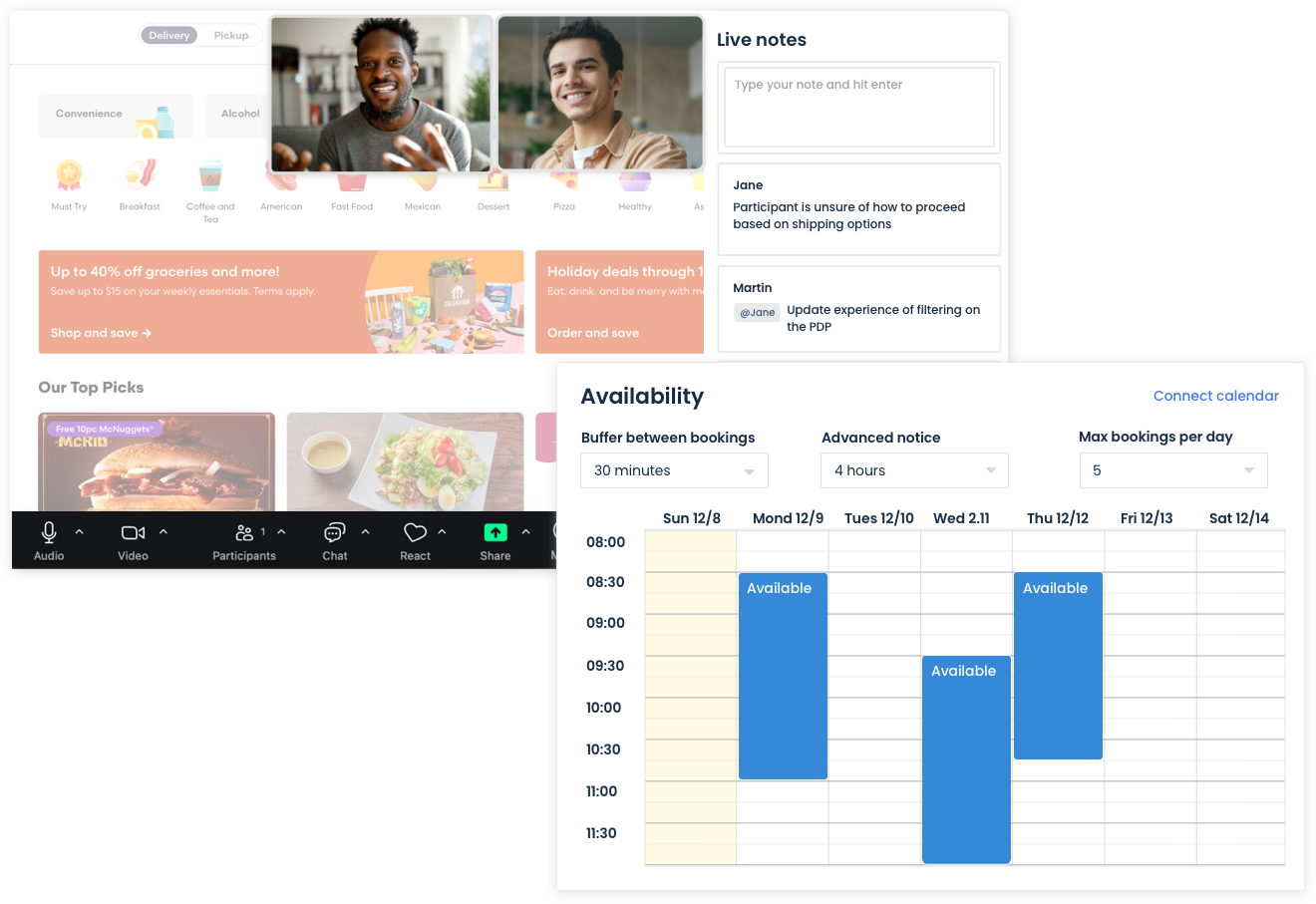
Conduct one-on-one conversations with participants through built-in video conferencing that records both webcam, audio and screen activity. The PlaybookUX platform handles all recruitment logistics from our verified participant panel, and our built-in scheduler eliminates the back-and-forth of coordinating sessions.
During the session, team members can join as invisible observers and collaborate by taking live notes.
After the session, view time-stamped transcripts, add notes and tags, mention team members, clip key moments, and create shareable highlight reels.
Card sorting
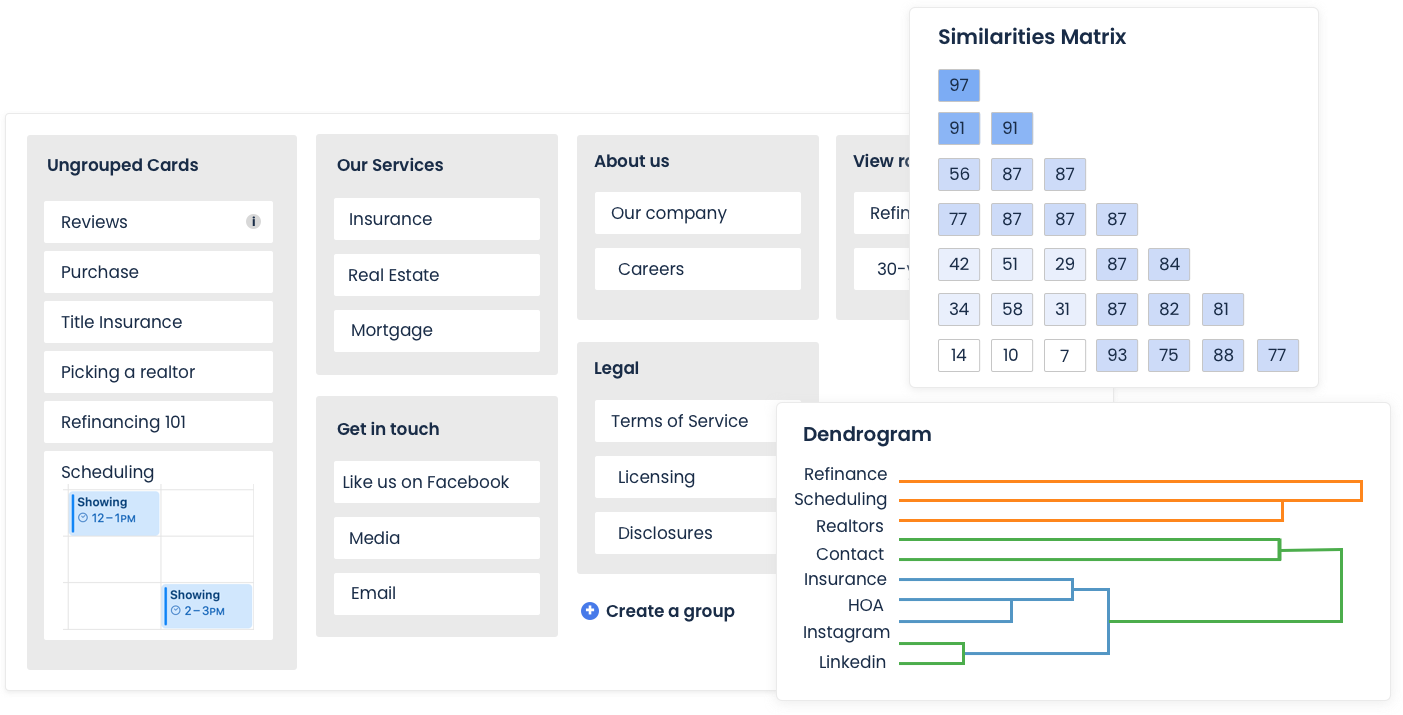
Creating intuitive navigation and well-organized content helps customers find what they need quickly and with less frustration. The PlaybookUX card sorting tool supports open, closed and hybrid card sorts. Upload images to cards, personalize study instructions and enable advanced settings, like card & category randomization to reduce bias.
After the session, view a breakdown by cards and categories, while merging categories that are similar to view patterns. Visualize the correlations between cards with the similarity matrix and dendrograms.
Tree testing
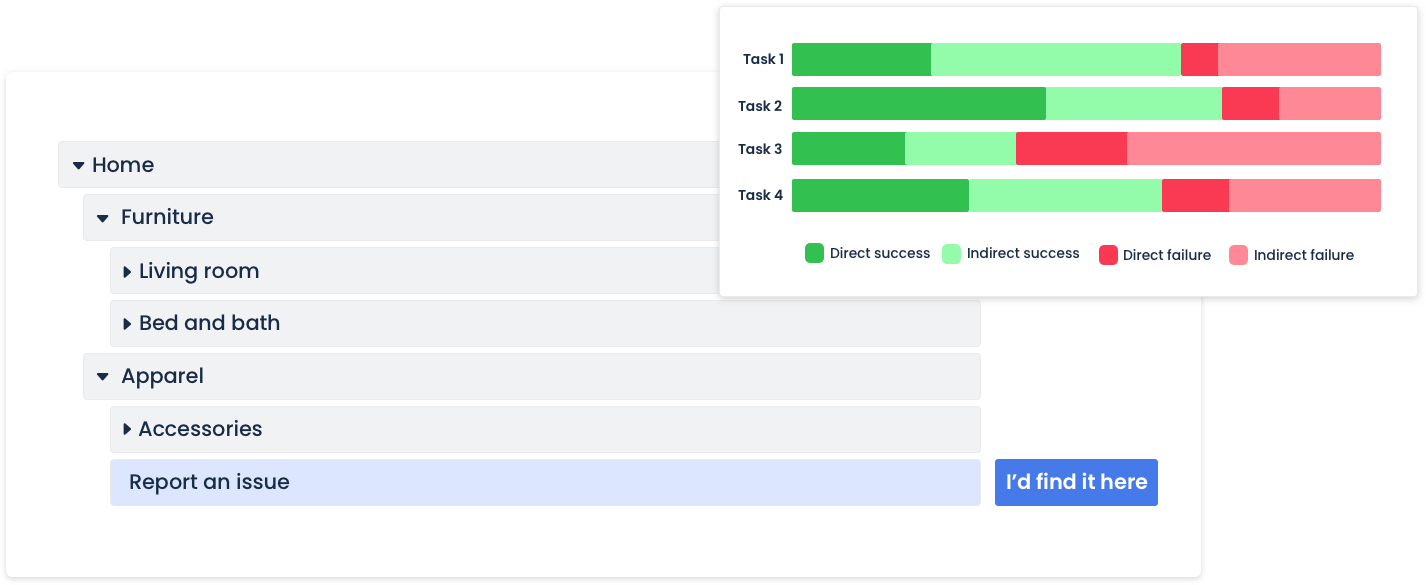
Build your navigation tree structure within PlaybookUX and give participants tasks to complete, then analyze success rates, participant paths, and first-click behavior to optimize your information architecture. With access to powerful analysis tools including task success charts and custom reports, you can quickly identify which content is difficult to find and make data-driven decisions about your site structure.
Surveys
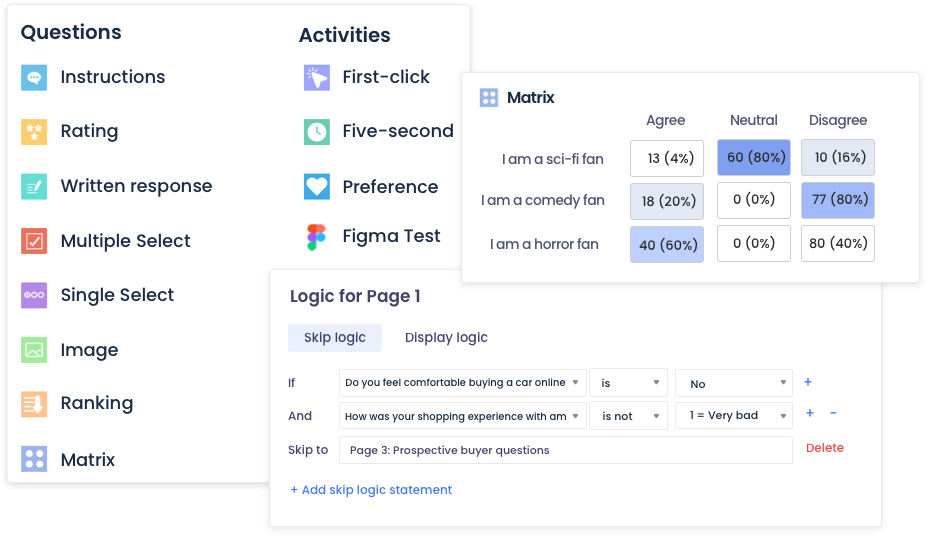
Have all of your qualitative and quantitative data in one place. Get fast results from large sample sizes.
Ask a wide range of questions, including multiple choice, single choice, open-ended, ratings, rankings, matrix, image-based questions, and more. Set up advanced logic like skip logic, branching, and display logic.
Analyze real-time results with intuitive charts and graphs, and filter data by persona, demographics, screener questions, and test responses for deeper insights.
Transform Figma Prototypes into powerful research studies
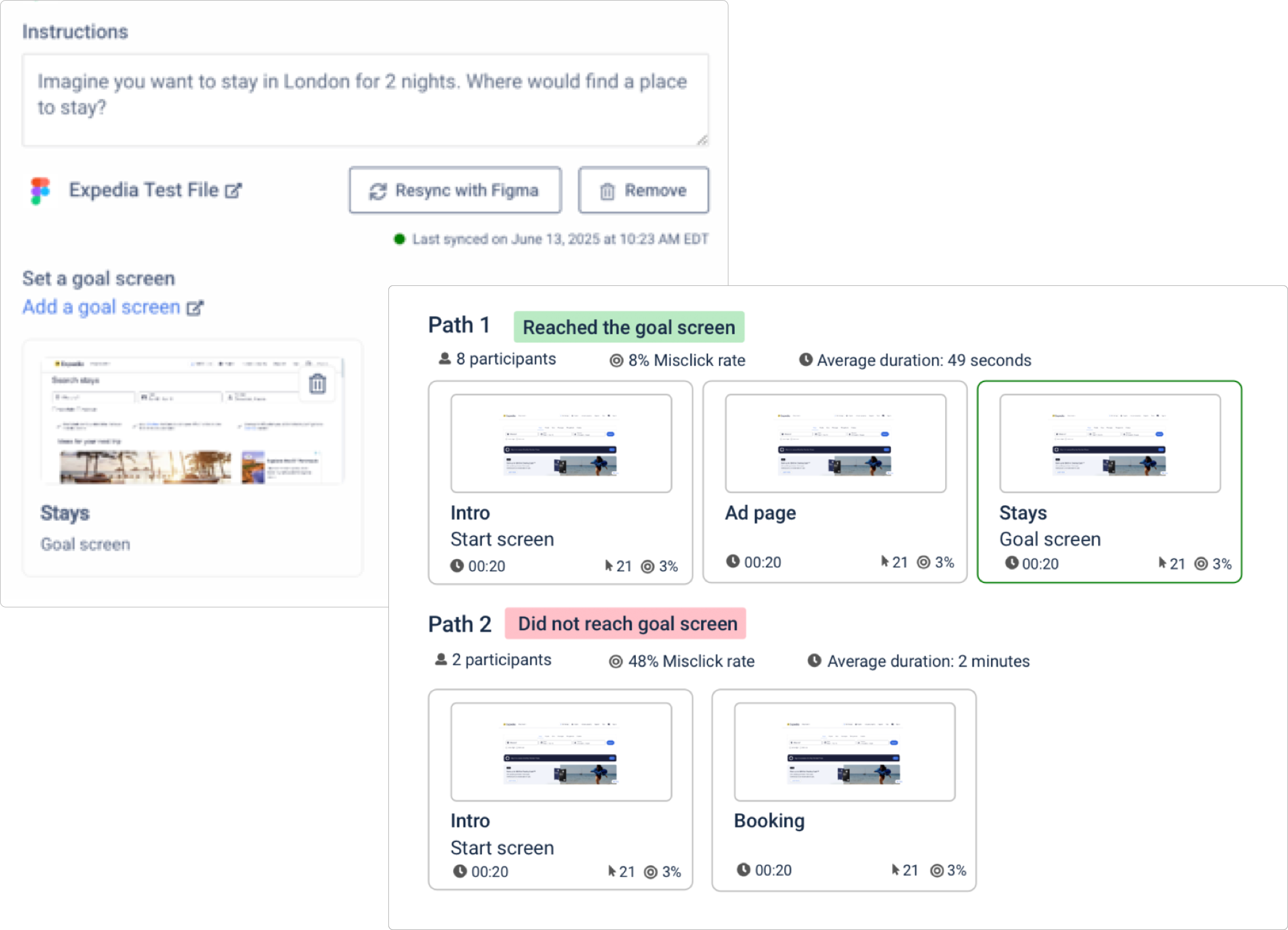
Integrate and import your Figma designs directly into PlaybookUX. Set up goal screens for detailed analytics such as task completion rates, misclicks, common navigation paths, heat maps, and click tracking—all overlaid directly on your Figma designs. No complex setup required, just actionable insights that help you validate designs.
Customer Success That Drives Your Growth
Your dedicated customer success manager and support team are focused on helping your organization achieve its research goals. Whether you need guidance on best practices, assistance with study design, or support managing utilization, our experts are here to ensure you stay on track and meet your deadlines. With PlaybookUX, you get more than just a tool—you gain a trusted partner in your research journey.
Session Replays
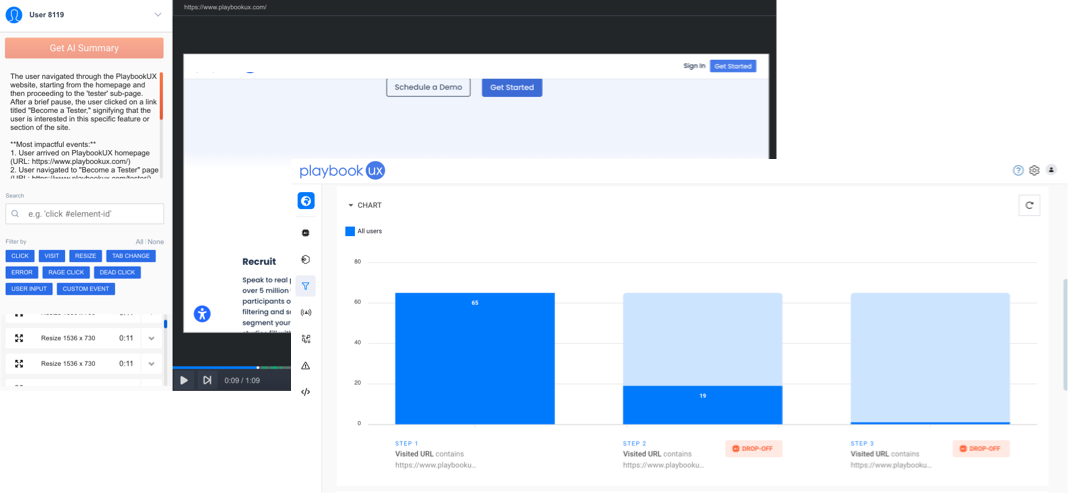
Session Replays allow you to watch real-time recordings of how users interact with your product or website. You’ll see every click, scroll, and navigation path, helping you understand customer behavior, identify pain points, and uncover opportunities for optimization. Replay AI summaries session behaviors, so you can stay focused on what really matters.
First-Click Testing
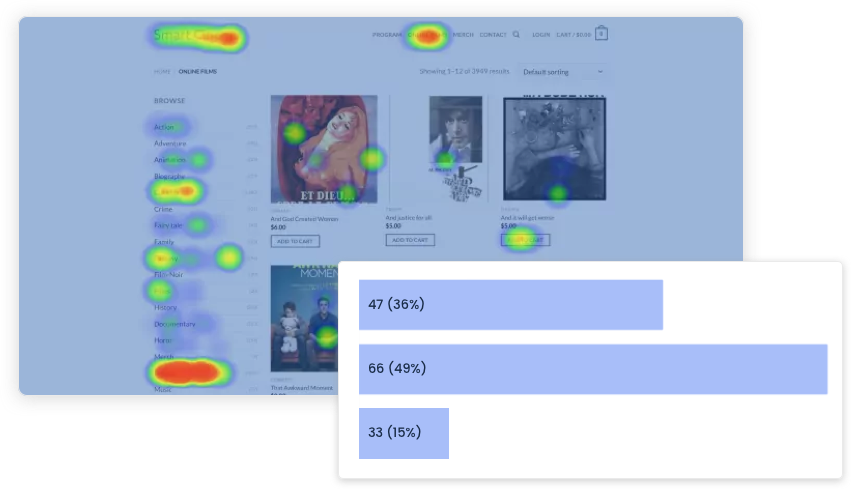
First-click testing helps you validate digital assets. Simply upload an image, add a custom prompt, and include follow-up questions to gather deeper insights.
After the session, analyze your results using heat maps and click maps to see where users focus their attention and how they interact with your design.
Five-Second testing
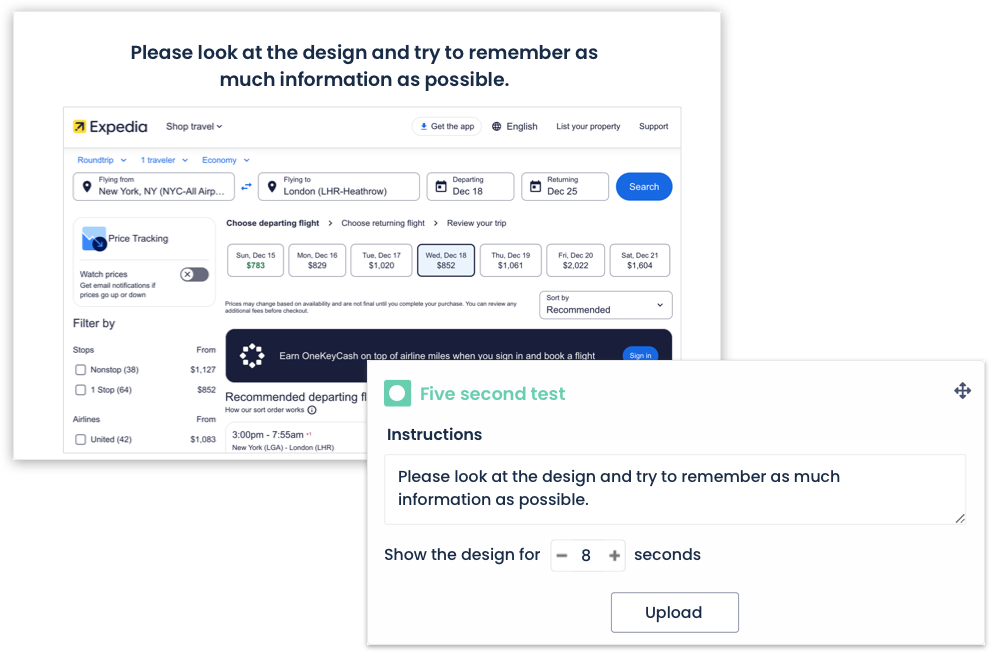
Upload an image and customize the question prompt. Even though it’s called a five-second test, you can configure how long we’ll show the image to participants. Follow up your five-second test with other survey questions for additional insights.
Preference Testing
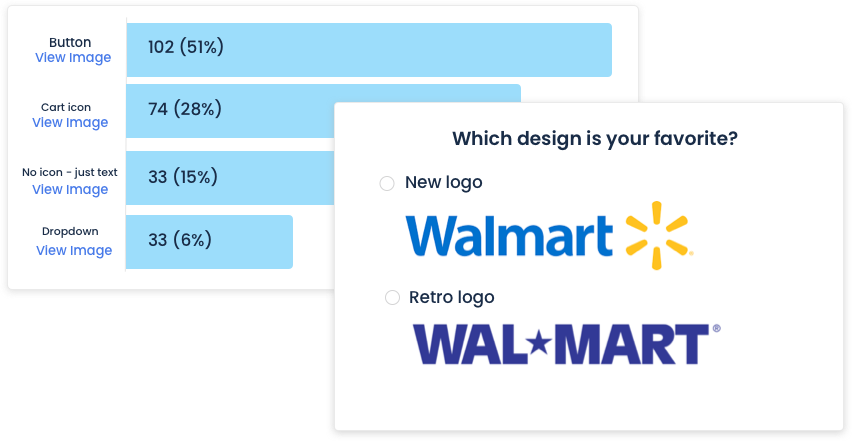
Understanding user preferences helps you enhance experiences and avoid decisions that don’t align with customer needs.
Upload up to 20 designs per preference test, and add follow-up survey questions for deeper insights. Then, analyze the results with clear visualizations to make data-driven decisions.
Diary Studies – coming soon!
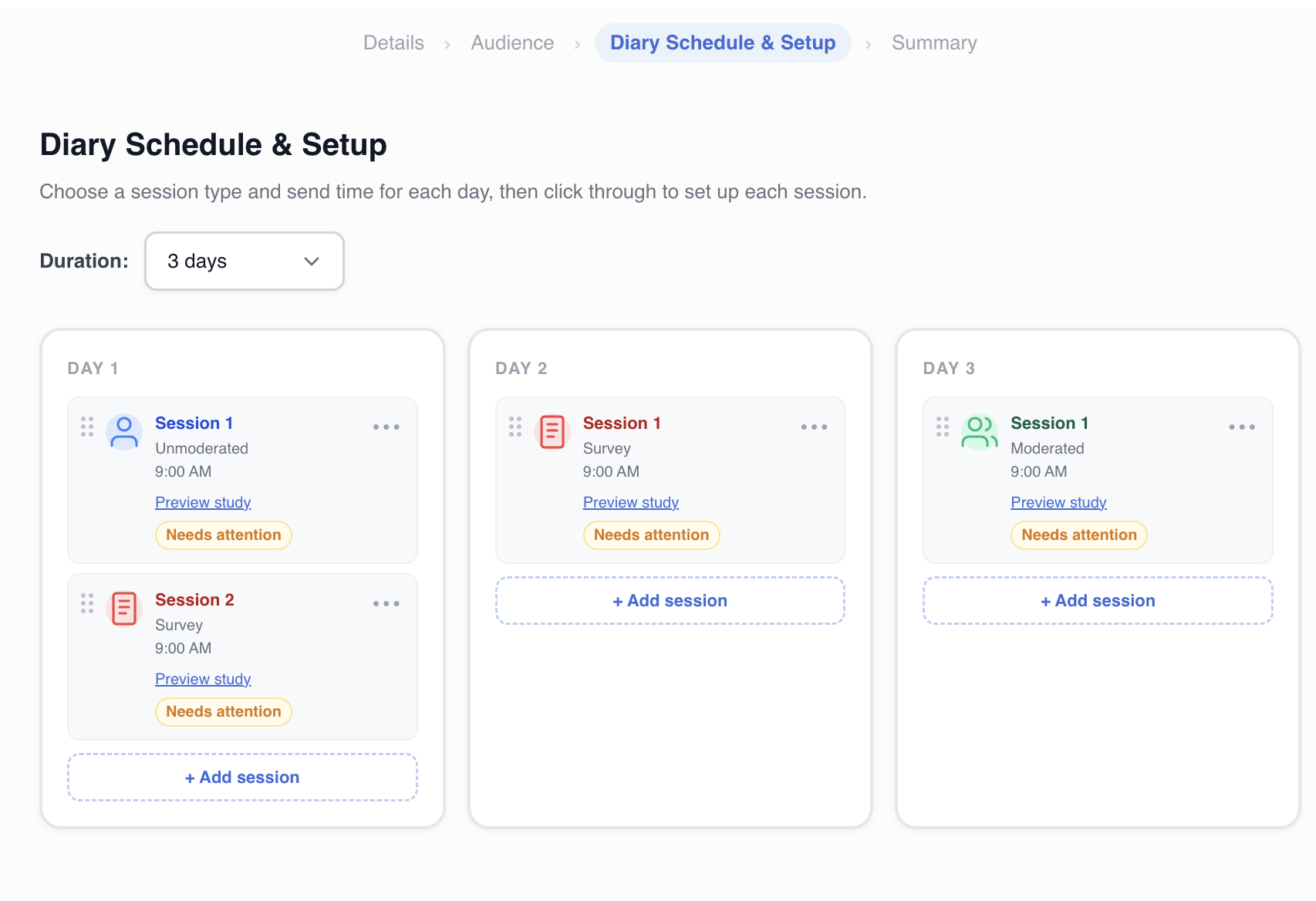
Track how users think, feel, and behave over time with longitudinal research. Recruit participants, send scheduled prompts, and collect responses over days or weeks, all from one platform.